
We’ve all been there.
You send a message on Instagram, look at it a few seconds later, and instantly regret it. Maybe it went to the wrong person. Maybe autocorrect completely changed what you meant. Or maybe it was one of those late-night messages that seemed like a great idea at the time.
The next thought is usually the same: If I unsend it, will Instagram tell the other person?
It’s a common question, and for good reason. Nobody wants to remove a message only to trigger an awkward notification that says, “Hey, this person just deleted something they sent you.”
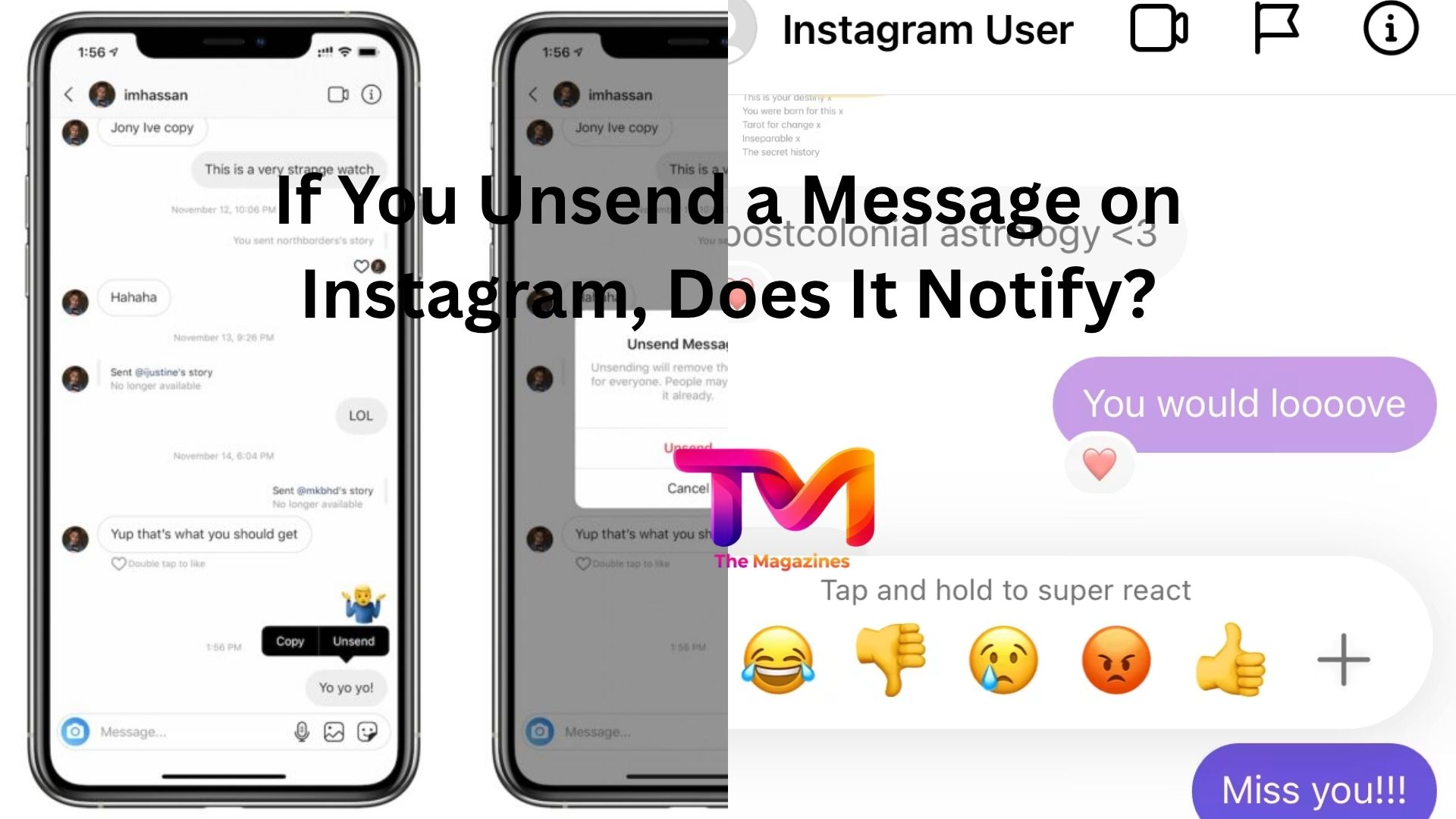
The short answer is simple: Instagram does not send a notification when you unsend a message.
But like most things on social media, there’s a little more to the story.
What Happens When You Unsend a Message on Instagram?
When you unsend a message on Instagram, the message is removed from the chat for everyone involved in the conversation.
That means it disappears from your side and the recipient’s side.
Instagram doesn’t send a special alert saying that you unsent something. The other person won’t receive a push notification, banner notification, or chat notification informing them that a message was removed.
In most cases, the message simply vanishes.
If someone opens the conversation after you’ve unsent the message, they generally won’t see any sign that it was ever there.
That’s why the unsend feature has become a lifesaver for accidental messages and quick corrections.
The Catch: They Might Have Already Seen It
Here’s the thing.
Just because Instagram doesn’t notify someone about an unsent message doesn’t mean they never saw it.
Timing matters.
Imagine you send a message that says:
“I can’t believe what happened today.”
A few seconds later, you decide it was meant for someone else and unsend it.
If the recipient was actively using Instagram at that moment, they may have already read the message before you removed it.
In that situation, unsending doesn’t erase their memory of what they saw.
The same goes for message previews that appear on a lock screen or notification panel.
If a notification popped up before you unsent the message, parts of the message may have already been visible.
So while the message disappears from the conversation, there’s no guarantee it disappeared from the person’s awareness.
Can Someone Tell a Message Was Unsent?
Most of the time, no.
Instagram doesn’t leave behind a placeholder that says something like “Message removed” or “This message was unsent.”
Unlike some messaging platforms that display a deletion notice, Instagram generally removes the content without leaving obvious evidence behind.
However, people can sometimes figure it out through context.
Let’s say you’re having a fast-paced conversation and suddenly stop responding after sending something.
The other person may have noticed a notification arrive and then disappear.
Or they may have seen a message briefly and then watched it vanish from the chat.
That doesn’t happen often, but it’s possible.
In other words, Instagram doesn’t tell them directly, but circumstances can occasionally give it away.
What About Group Chats?
The same rule applies in group conversations.
If you unsend a message in a group chat, Instagram removes it from the conversation for everyone.
No automatic notification is sent to group members informing them that a message was unsent.
Still, group chats create more opportunities for someone to notice.
With several people potentially active at the same time, the chances increase that someone saw the message before you removed it.
If a message stays up for even a minute or two, there’s a decent chance at least one participant has already read it.
That’s why speed matters if you’ve sent something by mistake.
Does Instagram Notify If You Delete an Entire Conversation?
This is where people often get confused.
Deleting a conversation and unsending a message are two different actions.
When you delete a conversation from your inbox, you’re only removing it from your own account.
The other person still has the conversation and all of the messages inside it.
Instagram does not notify someone when you delete a conversation.
On the other hand, when you unsend a specific message, that message is removed for everyone.
Both actions happen quietly, but they affect the chat differently.
Can Someone Recover an Unsent Message?
Usually, once a message has been unsent, it’s no longer visible in the Instagram conversation.
For the average user, there’s no built-in option to recover or view messages that were removed through the unsend feature.
That said, there are exceptions.
If someone took a screenshot before the message disappeared, they obviously still have it.
The same goes for screen recordings or saved notification previews.
Let’s be honest. Anything shared online carries some level of risk.
Even when a platform offers message removal, there’s always a chance someone captured the content before it vanished.
That’s one reason many people treat the unsend feature as a backup plan rather than a guarantee.
How Fast Should You Unsend a Message?
As quickly as possible.
The sooner you remove the message, the lower the chance that someone sees it.
Instagram currently allows users to unsend messages regardless of how long they’ve been in the chat, but waiting longer increases the likelihood that the recipient has already viewed them.
Think of it like spilling coffee on a white shirt.
The faster you react, the better the outcome usually is.
If you notice a mistake immediately, unsending right away gives you the best chance of avoiding an awkward situation.
What Happens to Read Receipts?
This is where things can get interesting.
Suppose you send a message and the recipient reads it.
Instagram shows the message as seen.
Then you unsend the message afterward.
The message disappears from the conversation, but if the recipient already read it, the fact that they saw it doesn’t magically disappear from reality.
The content may be gone, yet the recipient already knows what was written.
Unsend isn’t a time machine.
It removes the message from the chat, but it can’t reverse what someone has already seen.
Why People Use the Unsend Feature
Most people aren’t using unsend for anything dramatic.
In everyday life, it’s usually for small mistakes.
Maybe you accidentally sent a laughing emoji during a serious conversation.
Maybe you shared a photo with the wrong friend.
Maybe your thumb slipped and you sent a message before finishing it.
These situations happen constantly.
The unsend feature gives users a simple way to clean up accidental messages without creating extra attention around them.
And because Instagram doesn’t send notifications about unsent messages, the process stays relatively discreet.
Common Myths About Unsent Messages
A lot of misinformation floats around online, especially in social media forums and comment sections.
One common myth is that Instagram sends a hidden alert whenever someone unsends a message.
That’s not true.
Another myth claims the recipient receives an email about deleted messages.
That isn’t how Instagram works either.
Some people also believe unsending automatically deletes screenshots or notification previews.
Unfortunately, that’s impossible. Once information has been captured on another device, Instagram can’t remove it.
The safest assumption is simple: unsend removes the message from the chat, but it can’t control what happened before the removal.
Should You Rely on the Unsend Feature?
It’s useful, but it shouldn’t be treated as foolproof.
The feature works well for correcting mistakes and removing messages you no longer want visible in a conversation.
What it doesn’t do is guarantee that nobody saw the content.
If a message is sensitive, personal, or potentially damaging, it’s worth remembering that the recipient may have already viewed it before you hit unsend.
A good rule of thumb is to assume anything sent online could be seen, saved, or remembered.
Then view the unsend option as a helpful safety net rather than complete protection.
Final Thoughts
So, if you unsend a message on Instagram, does it notify the other person?
No. Instagram does not send a notification when you unsend a message. The message is removed from the conversation without a special alert telling the recipient what happened.
The important detail is that unsending only removes the message from the chat. It doesn’t erase screenshots, notification previews, or messages someone already read before you removed them.
For most everyday mistakes, the feature works exactly as you’d hope. If you act quickly, the message disappears quietly and the conversation moves on. Just remember that speed helps, and once someone has seen a message, unsending can’t undo that moment.














Leave a Reply