
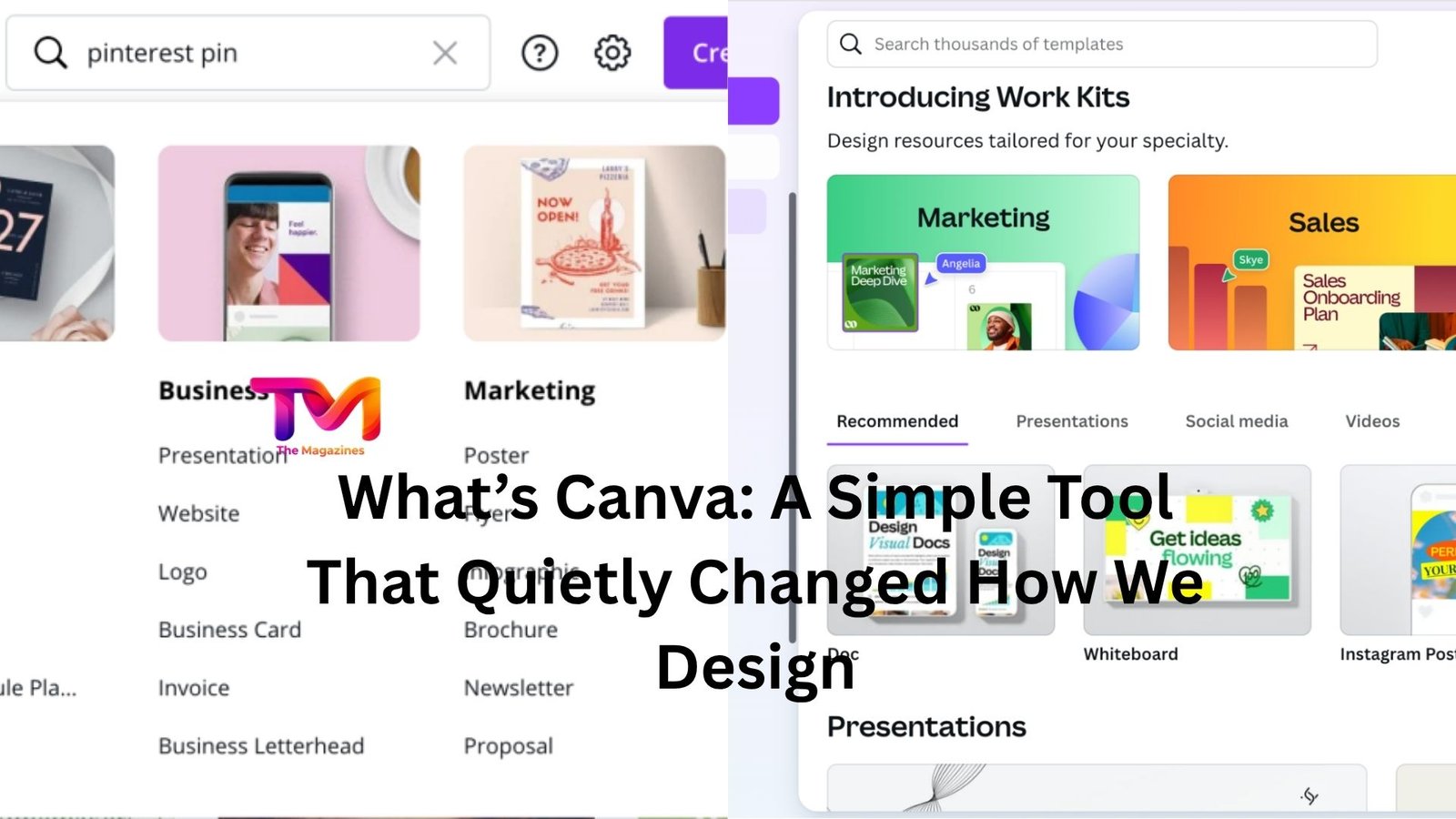
You’ve probably seen a clean Instagram post, a neat resume, or a presentation that somehow didn’t feel like a chore to look at—and there’s a good chance Canva was behind it.
It’s one of those tools people stumble into. Maybe you needed a quick flyer. Maybe your boss said, “Can you make this look nicer?” Or maybe you just got tired of staring at blank slides that all looked the same. Canva tends to show up right at that moment when you want something to look good… but don’t want to spend weeks learning complicated software.
So what’s Canva, really? Not the marketing version. The real, everyday-use version.
A design tool for people who don’t think they’re designers
At its core, Canva is an online design platform. You open it in your browser or app, pick what you want to create—social media post, presentation, poster, resume—and start building visually.
That sounds simple, and it is. But the key difference is how little friction there is.
Traditional design tools often feel like stepping into a cockpit. Buttons everywhere. Terms you don’t understand. Layers, masks, vectors. Canva takes a different approach. It hands you something that already looks decent and says, “Go ahead, tweak it.”
That changes everything.
Imagine you’re helping a friend promote a small event. You open Canva, search “event poster,” and suddenly you’re looking at dozens of ready-made designs. You click one. The layout is done. The colors work. The font pairing doesn’t look awkward. All you have to do is swap in your text and maybe adjust a few details.
You didn’t design it from scratch—but you still made it yours. And honestly, that’s the point.
Templates are the real engine
Let’s be honest: most people don’t want to start from a blank canvas. That blank space is intimidating. Canva understands that.
Templates are what make the platform click for so many people. They’re not just placeholders; they’re actual, usable designs created for specific purposes. Instagram stories, business cards, YouTube thumbnails, pitch decks—you name it.
And they’re not all generic either. Some feel modern and bold. Others are quiet and minimal. You can usually find something that matches your taste without digging too long.
Here’s a small real-life scenario: someone running a side hustle selling handmade candles wants to post on Instagram regularly. They don’t have time to “design” every post. With Canva, they pick a template style once, then reuse it. Change the photo, update the text, maybe tweak a color. Done in five minutes.
Consistency without stress.
Drag, drop, and move on
The interface is built around drag-and-drop. That sounds like a small thing, but it removes a lot of friction.
You want to move text? Grab it and slide it. Add a photo? Drag it in. Resize something? Pull the corner.
There’s no sense of “you need to know how this works first.” You just try things. If it looks off, you adjust. If it breaks, you undo. That freedom makes people more willing to experiment, which usually leads to better results.
Now, is it as powerful as professional design software? No. And that’s okay. It’s not trying to be.
It’s trying to get you from idea to something usable—fast.
It’s not just for social media
A lot of people associate Canva with Instagram posts, and sure, that’s a big part of it. But it’s quietly expanded into almost every kind of everyday design.
Presentations are a big one. If you’ve ever struggled through building slides in traditional software, Canva feels like a relief. You pick a theme, and suddenly your slides look cohesive. You’re not fighting formatting the whole time.
Resumes are another interesting case. Instead of staring at a blank Word document wondering where to put your name, Canva gives you structured layouts that already look polished. You just fill in your details.
Even things like simple videos, documents, and basic websites are now part of the mix. It’s not replacing specialized tools in those areas, but for many people, it’s “good enough” and far easier to use.
And “good enough” is often exactly what people need.
The balance between control and simplicity
Here’s where Canva gets interesting. It gives you control—but only up to a point.
You can change colors, fonts, images, spacing. You can rearrange layouts. But you’re still working within a system that nudges you toward designs that look decent.
That’s intentional.
Too much freedom can actually make design harder, especially if you don’t have a strong visual sense yet. Canva limits just enough to keep things from going off the rails.
Think of it like cooking with a recipe versus improvising from scratch. The recipe doesn’t stop you from adding your own touch—but it prevents obvious mistakes.
Some experienced designers find Canva a bit restrictive for that reason. They want full control. But for most users, that structure is what makes it usable in the first place.
Collaboration without the chaos
Another thing Canva does well is collaboration.
You can share a design with someone, and they can jump in, edit, comment, or adjust things in real time. No sending files back and forth. No “final_v3_revised_REAL_FINAL” versions floating around.
Picture a small team working on a presentation. One person handles the text, another tweaks visuals, someone else checks alignment. They’re all working on the same file, seeing updates instantly.
It’s simple, but it saves time—and frustration.
Free vs paid: where the line sits
Canva has a free version, and it’s surprisingly capable. You get access to a large number of templates, images, and design tools without paying anything.
For many casual users, that’s enough.
The paid version (often called Canva Pro) unlocks more templates, premium images, brand kits, background removal tools, and a few automation features.
Whether it’s worth it depends on how often you use it. Someone designing occasionally might never feel the need to upgrade. But if you’re creating content regularly—say for a business or personal brand—the extra features can save time.
The key thing is this: the free version isn’t crippled. It’s actually usable on its own, which is part of why Canva spread so quickly.
Where it shines—and where it doesn’t
Canva shines when speed matters more than perfection.
Need a decent-looking post in ten minutes? Perfect. Want a presentation that doesn’t look like every default template out there? Great. Trying to make something visually consistent without overthinking it? That’s its sweet spot.
Where it struggles is in highly detailed, custom design work. If you’re creating something that needs precise control, advanced typography, or complex illustrations, you’ll eventually hit limits.
Also, because templates are widely used, there’s always a chance your design looks a bit familiar. Not identical, but recognizable.
For many people, that trade-off is worth it. You gain speed and ease at the cost of some originality.
Why it stuck when others didn’t
There have been other “easy design” tools before Canva. Most didn’t stick.
Canva worked because it removed just enough friction without dumbing things down too much. It respects the user’s time. It doesn’t expect you to learn a new skill before you can get results.
And it meets people where they are.
A student making a presentation. A small business owner designing flyers. Someone updating their resume late at night. These aren’t edge cases—they’re everyday situations.
Canva fits into those moments without making them harder.
The quiet shift it created
Here’s the thing: Canva didn’t just give people a tool. It changed expectations.
People now expect to be able to create decent visuals quickly. They expect templates. They expect drag-and-drop simplicity. The idea that design has to be slow and technical feels outdated to a lot of users.
That doesn’t replace professional designers, not at all. If anything, it highlights the gap between “good enough” and truly great design.
But it does mean more people can participate. More people can create something that looks polished without needing formal training.
That’s a shift worth noticing.
Final thoughts
So what’s Canva?
It’s not a magic design machine. It won’t turn every idea into something brilliant. And it won’t replace deep creative skill.
But it lowers the barrier in a way that feels practical. It gives you a starting point, keeps things moving, and helps you finish what you started.
And that last part matters more than people admit.
Because most design problems aren’t about talent—they’re about getting from blank screen to something usable without getting stuck along the way.
Canva makes that path shorter. That’s why it keeps showing up in so many people’s workflows, quietly doing its job.













Leave a Reply